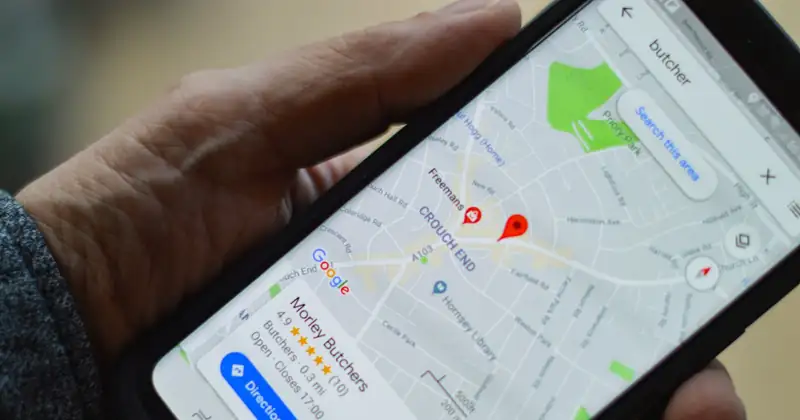
Photo by henry perks on Unsplash
The best way to get more Google reviews is to ask every happy customer, at the moment they are most satisfied, with a direct link to your review page, and to do it consistently without offering rewards or screening out unhappy customers. Google's policies prohibit incentives and "review gating," so the sustainable approach is simple: deliver good service, make reviewing easy, and ask everyone.
Reviews shape how people choose local businesses. They affect whether someone taps your listing, whether they call, and how your business appears in Maps. For Kansas City owners competing in crowded categories like restaurants, home services, dental offices, and salons, a steady stream of genuine reviews is one of the most valuable marketing assets you can build. Here is how to do it without risking your listing.
Know the rules first
Google publishes policies for content contributed to its maps and business listings. Read the current version yourself, because details change, but the core principles are consistent:
- No fake reviews. Reviews must reflect a real experience. Never write your own, have friends or family write them, or buy them.
- No incentives. Do not offer discounts, gifts, entries, or anything else in exchange for a review, whether positive or not.
- No review gating. Do not screen customers by satisfaction and only send happy ones to Google while sending unhappy ones to a private form. Ask everyone equally.
- No conflicts of interest. Employees and owners should not review their own business, and you should not review competitors.
- No bulk or off-site pressure tactics. Do not set up review stations or kiosks that let many reviews come from the same device or location.
Breaking these rules can lead to removed reviews or a suspended profile, which is far worse than having fewer reviews. Asking for reviews is allowed and encouraged, as long as you follow the points above.
Get your profile ready
Before you ask for reviews, make sure there is something to review. Claim and verify your Google Business Profile, and complete it with accurate hours, categories, photos, and contact details. If you need a refresher, our post on local SEO tips for Kansas City businesses walks through setup. Then find your review link:
- Sign in to your Google Business Profile.
- Look for the option to ask for reviews or share a review form.
- Copy the short link provided.
- Test it on your own phone to confirm it opens the review box.
Save the link in your phone notes, email signature, and anywhere your team can reach it quickly.
Ask at the right moment
Timing matters more than wording. The best moment is right after a positive interaction, while the experience is fresh. Examples:
- Home services: when the job is finished and the customer has seen the result.
- Restaurants and cafes: as the check is settled, or in a follow-up message after a special occasion.
- Salons and personal services: at checkout, when the customer is admiring the result.
- Professional services: after delivering a result, such as a filed return or a signed closing.
- Retail: after a customer returns happy, or after a custom order arrives.
Do not wait weeks. Memory fades and so does motivation.
Make it effortless
Every extra step cuts the number of reviews you receive. Reduce friction wherever you can.
Text or email a direct link
A short message sent after the visit usually works well. Keep it personal and brief. For example: "Thanks for coming in today. If you had a good experience, we would really appreciate a quick review. Here is the link." Note that asking is fine, and you should send the same message to every customer, not only those you think are happy.
Use a QR code
Print a QR code that points to your review link on receipts, cards, packaging, or a small sign at the counter. Customers can scan it with their own phones when they choose to. Avoid a shared tablet or kiosk in the shop, as multiple reviews from one device can look suspicious to Google's systems.
Ask in person
A genuine, personal request from a team member is often the most effective method. Train staff to say something natural, such as "If you enjoyed it, a Google review really helps a small local business like ours." Many people are glad to help when asked kindly. This also fits with the community-first message in our article on why shopping local matters in Kansas City, since many customers like backing neighborhood businesses.
Add it to your follow-up routine
Include your review link in invoices, appointment confirmations, thank-you emails, and email signatures. A short line is enough. Make it part of the standard process so it happens every time, not when you remember.
What to say, and what not to say
Keep requests honest and neutral. Do say that reviews help your business, and that honest feedback is welcome. Do not say anything that pressures people toward a particular star rating, dictate what they should write, or tie the request to a perk. Phrases like "Leave us five stars and get 10% off" violate policy. So does "Only click this link if you were satisfied."
You can suggest topics that help future customers, such as what service they used or what stood out, but let them use their own words. Authentic, specific reviews are more persuasive than generic praise anyway.
Respond to every review
Replies show you are active and that you care, and future customers read them.
Positive reviews
Thank the reviewer by name and mention something specific. Keep it short and genuine, and vary your wording so replies do not look automated.
Negative reviews
- Wait until you are calm, then reply professionally.
- Thank them for the feedback and apologize for the experience without arguing.
- Offer to resolve it offline with a phone number or email.
- Never reveal private customer details.
- If a review is fake or violates policy, flag it for removal through your profile, and keep your reply factual in the meantime.
A calm reply to a bad review can actually earn trust. Many readers judge a business by how it handles problems.
Build reviews into your operations
One-off pushes fade. A repeatable system keeps the flow going:
- Decide who is responsible for review requests.
- Choose one or two methods that fit your business, like a text after service and a QR code on receipts.
- Write a short script so everyone asks the same way.
- Set a weekly reminder to check and respond to new reviews.
- Share good reviews with your team to reinforce what is working.
- Review your results monthly and adjust.
Common mistakes to avoid
- Offering rewards, even small ones like a free drink.
- Review gating, where only satisfied customers get the link.
- Asking employees or relatives to post.
- Buying reviews or using services that promise guaranteed numbers.
- Arguing with reviewers publicly.
- Ignoring the profile for months, then asking for a flood of reviews in a few days.
- Sending a generic link that does not open the review box.
Use feedback to improve
Reviews are also free market research. Read them for patterns. If several customers mention slow wait times, confusing pricing, or a standout employee, that tells you where to fix or celebrate. Feeding that learning back into your service creates better experiences, which produces better reviews naturally.
Where reviews fit in your marketing
Reviews work best alongside a strong profile, a clear website, and active local connections. You can also feature selected customer comments on your site and social pages with permission. For more ideas, see our marketing section, and list your company in the Kansas City business directory to extend your local reach.
Frequently Asked Questions
Can I offer a discount in exchange for a Google review?
No. Google prohibits offering incentives such as discounts, gifts, or entries for reviews, whether the review is positive or negative. Violations can lead to removed reviews or a suspended profile. Ask customers politely and let them decide on their own whether to leave feedback.
What is review gating and why should I avoid it?
Review gating means screening customers first and only sending satisfied ones to Google while redirecting unhappy ones to a private channel. Google's policies discourage this selective approach. Ask all customers equally, then respond professionally to whatever feedback arrives, good or bad.
How many Google reviews do I need?
There is no magic number. Focus on a steady flow of recent, genuine reviews rather than a target count. Compare your total and recency against nearby competitors in your category, and aim to earn a few new reviews each month as part of your regular routine.
What should I do about a fake or unfair review?
Flag it through your Google Business Profile if it violates policy, such as spam, off-topic content, or a reviewer who was never a customer. Reply calmly and factually in the meantime. Removal is not guaranteed, so keep earning genuine reviews to balance the picture.
Keep Reading

Kansas City Web Design Cost: A 2026 Budget Guide
What should a Kansas City small business budget for a website in 2026? Typical price ranges, cost drivers, ongoing fees and how to read a quote.

How to Choose a Web Design Company in Kansas City
A practical checklist for hiring a web designer or agency in Kansas City: what to ask, how pricing works, and the red flags worth walking away from.

Local SEO Tips for Kansas City Businesses
Simple local SEO steps for Kansas City businesses: Google Business Profile, consistent NAP, local landing pages, and citations that help customers find you.